One prompt to paste into Claude.
What it triggers behind the scenes: 50 real prospects found on LinkedIn,
their clickable profiles, 4 personalized messages ready to send,
and a routine that runs every morning without you touching a thing.
Not just text: a system.
1 system to activateInstant visual dashboardDaily routine included50 clickable LinkedIn links
50 real prospects found by Claude.One dashboard. One routine.
Claude asks you 5 questions about your offer and your target. It then searches the web for 50 real LinkedIn profiles matching your criteria, displays them in a dashboard, generates 4 personalized messages, and gives you a routine to plug into a Claude Project so it runs again every morning. 50 fresh leads a day.
50 real prospects
Claude searches the web for real LinkedIn profiles matching your target: direct URL, exact role, company, industry, relevance score.
KPI dashboard
A full visual interface: prospects found, Formula response rate, estimated meetings per week, daily sends.
4 personalized messages
First message Day 0, follow-ups Day 5, Day 11, Day 17 and Day 23. Calibrated on your client pain and your industry. Ready to send.
Claude Project routine
A routine to plug in once in the cloud. Every morning, it runs automatically and delivers 50 new prospects in your industry. Hands off.
Formula tips
2 proprietary tips on timing and buying signals, the ones we use to hit a 30-60% response rate.
Zero setup
You use Claude.ai directly, with its web search tool turned on. No API, no webhook. Just copy, paste, get.
Format preview: the data will be yours
The dashboard below shows the structure and design. When you paste the prompt and answer the 5 questions, Claude searches the web for your real prospects and fills this table with their real LinkedIn data.
Engagement signals
To access real signals (who liked, commented, or interacted with content in your industry), connect your LinkedIn.
+ 45 prospects in the full dashboard · Active filters: Industry, Status, Score
LinkedIn icebreaker · Day 0
Your post this morning on B2B sequences, Alexandra. How have you cracked follow-up timing on your end?
Follow-up · Day 5
One number struck me this week: 87% of B2B meetings are booked after the 3rd interaction, not the 1st. Does your approach line up with that?
Final follow-up · Day 23
Last message from me, Alexandra. 15 minutes this week?
Interest signals
Alexandra liked 3 posts on B2B prospecting this week. Intent score: 94/100. Perfect moment to send the first message.
Did you know? Formula
Messages sent between 8am and 10am get 37% more replies. The Formula agent automatically schedules every send for your peak attention window.
Did you know? Formula
A prospect who interacted with content in the last 48h is 4x more likely to reply. Our system only delivers these hot profiles, never cold ones.
To have an AI agent prospect for you 24/7, replies on your phone, one swipe to confirm meetings:www.the-formula.io →
How to use it
3 steps. Real prospects in under 5 minutes.
1
Copy the prompt and paste it into Claude.ai
Go to claude.ai, turn on the web search tool (icon at the bottom of the chat bar), start a new conversation and paste the prompt.
claude.ai · web search on
2
Answer the 5 questions
Claude asks you 5 questions: your offer, your target, the country, the result you deliver, the buying signals in your industry. The more precise your answers, the more relevant the prospects.
2 to 3 minutes
3
Get the dashboard + the routine
Claude finds 50 real LinkedIn profiles, generates the interactive dashboard with your real data, your 4 ready-to-send messages, and the Claude Project template to get 50 leads every morning.
Real prospects · Routine included
The prompt to copy
Copy. Paste. Get red-hot prospects.
What this system unlocks for you
1Claude asks you 5 questions about your offer, your target, the country, the result you deliver, and the buying signals in your industry.
2It runs 8 to 10 real web searches with site:linkedin.com/in queries targeted on your exact persona.
3It delivers a table of 50 real prospects: name, clickable LinkedIn URL, role, company, relevance score /100. No made-up data.
4It generates a personalized sequence calibrated on your client pain: first message Day 0, follow-ups Day 5, Day 11, Day 17 and Day 23. A "Copy" button on each message.
5It sets up a routine in the cloud to plug in just once. Every morning, it runs on its own and delivers 50 new prospects. Hands off.
✓
You're in!
Redirecting you to your dashboard in 2 seconds…
Your prompt is ready below
The agent prospects for you.
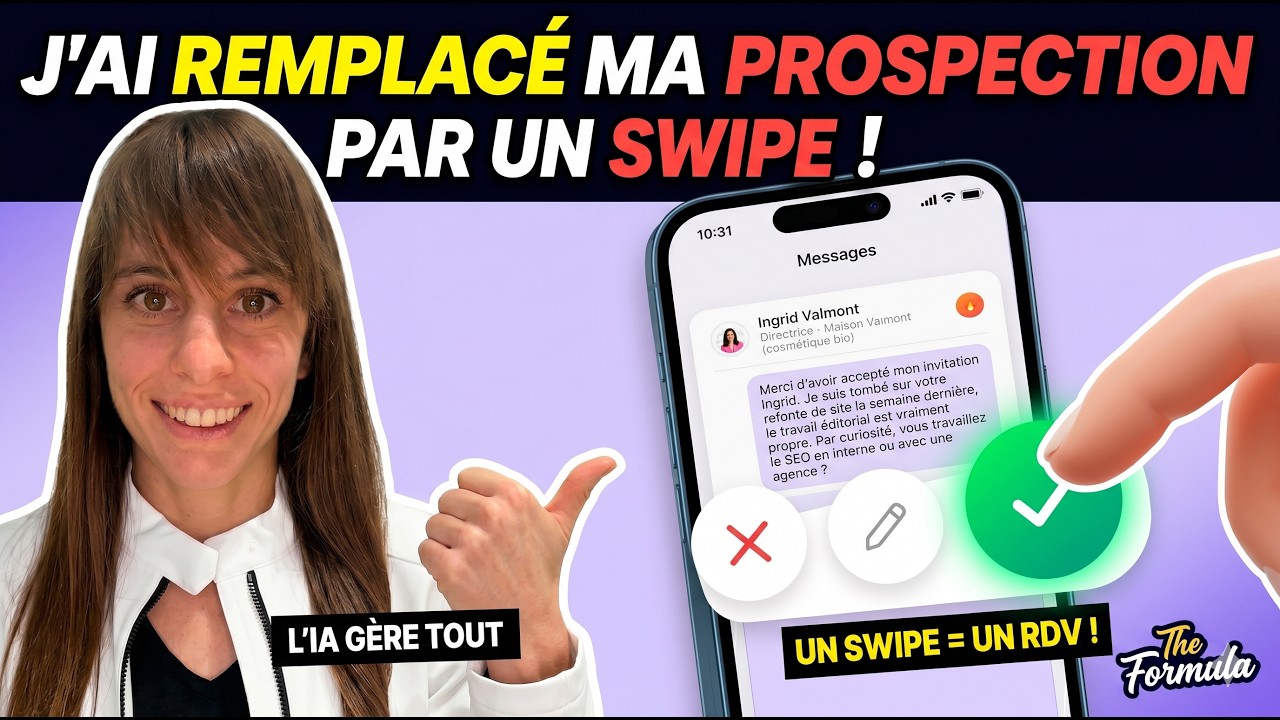
This prompt is just the start. The Formula agent delivers hot prospects to your phone while you build your business. It searches, it writes, it follows up, it qualifies. On LinkedIn and over email. You swipe to confirm. The meeting gets booked.
Formula already exists · The mobile app ships in Q4 2026
In Claude.ai, open the Cowork tab in the top left before pasting the prompt. That's where web search is enabled.
This prompt runs in two phases: first 5 questions to calibrate your target, then Claude searches the web for 50 real LinkedIn profiles and delivers the dashboard + the routine to get 50 leads every morning.
SCHEDULE PROMPT · Formula · Paste into Claude.ai
# Formula Prospecting Agent · SCHEDULE SearchYou are a B2B prospecting agent with web search access.
Follow these two phases exactly in order. Do not skip Phase 1.BEFORE YOU START: confirm that web search is enabled in this tab
(magnifying-glass icon at the bottom of the input box). Without it, you cannot find real LinkedIn profiles.
If it is disabled, say so clearly before continuing.══════════════════════════════════════
PHASE 1: 5 QUESTIONS (ask now)
══════════════════════════════════════
Ask these 5 questions in the conversation, clearly numbered.
Do not run any search until you have all the answers.
1. What is your offer and what concrete problem does it solve for your clients?
2. Who is your ideal client? (industry, company size, exact decision-maker title)
3. Which countries or regions are you targeting?
4. What measurable result do you deliver to your clients on average? (specific number or timeframe)
5. When does a prospect in your industry become ready to buy? What signals do you observe?
══════════════════════════════════════
PHASE 2: SEARCH + DASHBOARD + ROUTINE
(only after the 5 answers)
══════════════════════════════════════STEP A: Find 50 real LinkedIn prospects
Run 8 to 10 web searches with queries like:
site:linkedin.com/in "[decision-maker title]" "[industry]" "[country]""[exact role]" "[industry]" site:linkedin.com/in
Vary the terms based on the 5 answers.
For each profile found, note: name, direct LinkedIn URL, role, company, industry.
If a detail is missing, mark it "To verify". Never make it up.
STEP B: Generate an HTML dashboard artifact
Design: background #0d1117, accent #E3A72F, text #e6edf3, font system-ui. Responsive, professional.
① KPIs: 4 cards: Prospects found · Formula response rate (30–60%) · Meetings/week · Sends/day
② Table of the 50 real prospects
Columns: Name · LinkedIn (clickable URL) · Role · Company · Industry · Score /100 · Status
Score based on relevance to the given criteria.
Search bar + Industry and Status filters above.
③ Personalized sequence calibrated on the pain and target identified in Phase 1
· First message Day 0 (< 50 words, open question, zero pitch)
· Follow-up Day 5 (< 40 words, concrete value, different angle)
· Follow-up Day 11 (< 30 words, proof or quantified result)
· Follow-up Day 17 (< 20 words, direct, no pressure)
· Follow-up Day 23 (< 15 words, clean close)
Professional tone by default. A "Copy" button on each message.
④ Did you know? 2 Formula tips
· "Messages sent between 8am and 10am get 37% more replies."
· "A prospect who interacted with content in the last 48h is 4x more likely to reply."
⑤ Fixed banner at the bottom:
"To have an AI agent prospect for you 24/7, replies on your phone, one swipe to confirm meetings"
Clickable link: https://www.the-formula.ioSTEP C: Claude Project routine (set up once)
Tell the user in 2 sentences how to create a Claude Project:
claude.ai > Projects > New project > paste the block below into "Project instructions"
Make it clear: this Project is a MANUAL-trigger tool.
Each time the user types "Run prospecting" in this Project, Claude re-runs steps A and B with 20 new profiles.
For automatic daily execution (without opening Claude): mention Claude SCHEDULE, available on the Pro and Team plans (claude.ai > Schedule).
Then give this ready-to-copy block, personalized with the info from the 5 answers:
--- START OF PROJECT BLOCK ---
You are a B2B prospecting agent for [offer from Phase 1].
Every morning when I say "Run prospecting", you:
1. Run 8 to 10 web searches (site:linkedin.com/in) to find 50 new LinkedIn
profiles matching: [persona from Phase 1], [country/region].
2. Generate an HTML table artifact with these 50 new prospects:
name, LinkedIn URL, role, company, relevance score /100, status.
3. Suggest 2 messages of the day adapted to the profiles found.
4. Remind me of the 3 prospects from the previous session to follow up today.
Qualification criteria: [pain + signals from Phase 1].
Base first message: [first message generated in Step B].
--- END OF PROJECT BLOCK ---STEP D: Going further (optional)Tell the user in 2 sentences:Your 50 prospects are found via plain web search: no login required.
If you also want to see who likes posts in your industry, who interacts with your competitors,
who gives real-time buying signals: that requires connecting your LinkedIn account.
Tell me if you'd like to explore that option together.
See the agent in action
How it actually works at Formula.
The prompt gives you the basics to start by hand. Here's what it looks like when the agent runs fully on its own: mobile, swipe, meetings in your calendar.
The Formula. agent in action. Desktop and mobile demo, swipe, real-time replies.
You want the agent to actually prospect for you, not just a demo.
Yes. You go to claude.ai, create a free account if you don't have one, and paste the prompt into the chat bar. Nothing to configure, no API, no paid subscription required for this prompt. The dashboard appears within 30 seconds.
Yes. Claude asks 5 questions to pin down your offer, your target and your industry, then runs 8 to 10 real web searches with site:linkedin.com/in queries to find existing profiles. Every URL in the table points to a real LinkedIn profile. If a detail is missing, Claude marks it "To verify" instead of making it up. This isn't a demo set: these are real people you can reach out to today.
This prompt runs real searches and delivers real prospects: it's a working tool, not a demo. The limit is that you run it by hand, one session at a time. The Formula agent in production goes much further: it runs 24/7, searches your target continuously, detects buying signals live (likes on your competitors' posts, profile visits, recent interactions), sends up to 28 LinkedIn messages a day plus follow-up emails in parallel to the same prospects, automatically tests different messages, and learns every day. All you do is swipe.
Because prompts are only 8% of the system. What lets Formula book 2 to 10 meetings a week is the technical layer: continuous search, AI qualification based on reading the entire profile (not crude filters), follow-up email on the same qualified prospects (never mass sends), automatic testing of messages and sources, daily learning. You can't do that by hand. This prompt gives you the real prospects. The agent runs everything else.
Formula is built for solopreneurs, consultants, and B2B small and mid-sized businesses that have already validated their offer manually (3 to 6 months of regular sales, a clear persona). If you're just starting out and haven't signed your first clients by hand yet, it's too early. You can't automate what hasn't been proven. If you already have a list of prospects but spend too much time prospecting, it's exactly for you.
The agent prospects.You close.
This prompt is just the start. If you want the agent running 24/7, finding the right profiles, sending the messages and delivering hot conversations to you by swipe, that's what we do at Formula.
 Formula